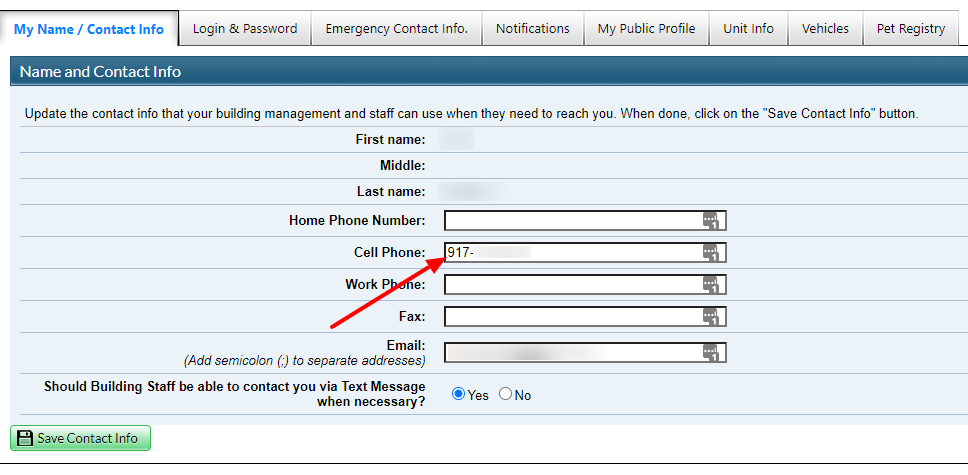
How do I update my cell phone on BuildingLink?
You should keep your cell phone updated so that the front desk can contact you. The building will be dialing your cell phone number instead of using the intercom so it’s important that you have your number updated. To do so, log in to BuildingLink and follow the instructions below.
1. Click on the My Profile link at the top right once you’re logged in.

2. Enter your cell phone in the Cell Phone field and then click Save Contact Info